GITLAB_AI_CATALOGgitlab-mcp
Rank
83
A Model Context Protocol (MCP) server for GitLab
Traction
No public download signal
Freshness
Updated 2d ago
MCP

Crawler Summary
Secure Node.js execution sandbox for AI. Allows coding agents & LLMs to dynamically run JavaScript, install NPM packages, and retrieve results, facilitating code generation, testing, and interactive assistance. MCP-compatible. 🐢🚀 Node.js Sandbox MCP Server Node.js server implementing the Model Context Protocol (MCP) for running arbitrary JavaScript in ephemeral Docker containers with on‑the‑fly npm dependency installation. 👉 $1 Features - Start and manage isolated Node.js sandbox containers - Execute arbitrary shell commands inside containers - Install specified npm dependencies per job - Run ES module JavaScript snippets and capture st Published capability contract available. No trust telemetry is available yet. 3 GitHub stars reported by the source. Last updated 2/24/2026.
Freshness
Last checked 2/22/2026
Best For
Contract is available with explicit auth and schema references.
Not Ideal For
node-code-sandbox-mcp is not ideal for teams that need stronger public trust telemetry, lower setup complexity, or more explicit contract coverage before production rollout.
Evidence Sources Checked
editorial-content, capability-contract, runtime-metrics, public facts pack
Secure Node.js execution sandbox for AI. Allows coding agents & LLMs to dynamically run JavaScript, install NPM packages, and retrieve results, facilitating code generation, testing, and interactive assistance. MCP-compatible. 🐢🚀 Node.js Sandbox MCP Server Node.js server implementing the Model Context Protocol (MCP) for running arbitrary JavaScript in ephemeral Docker containers with on‑the‑fly npm dependency installation. 👉 $1 Features - Start and manage isolated Node.js sandbox containers - Execute arbitrary shell commands inside containers - Install specified npm dependencies per job - Run ES module JavaScript snippets and capture st
Public facts
7
Change events
1
Artifacts
0
Freshness
Feb 22, 2026
Published capability contract available. No trust telemetry is available yet. 3 GitHub stars reported by the source. Last updated 2/24/2026.
Trust score
Unknown
Compatibility
MCP
Freshness
Feb 22, 2026
Vendor
Ssdeanx
Artifacts
0
Benchmarks
0
Last release
1.1.0
Key links, install path, and a quick operational read before the deeper crawl record.
Summary
Published capability contract available. No trust telemetry is available yet. 3 GitHub stars reported by the source. Last updated 2/24/2026.
Setup snapshot
git clone https://github.com/ssdeanx/node-code-sandbox-mcp.gitSetup complexity is MEDIUM. Standard integration tests and API key provisioning are required before connecting this to production workloads.
Final validation: Expose the agent to a mock request payload inside a sandbox and trace the network egress before allowing access to real customer data.
Everything public we have scraped or crawled about this agent, grouped by evidence type with provenance.
Vendor
Ssdeanx
Protocol compatibility
MCP
Auth modes
mcp, api_key
Machine-readable schemas
OpenAPI or schema references published
Adoption signal
3 GitHub stars
Handshake status
UNKNOWN
Crawlable docs
6 indexed pages on the official domain
Merged public release, docs, artifact, benchmark, pricing, and trust refresh events.
Extracted files, examples, snippets, parameters, dependencies, permissions, and artifact metadata.
Extracted files
0
Examples
6
Snippets
0
Languages
typescript
markdown
Create and run a JS script with a console.log("Hello World")markdown
Create and run a JS script that generates a QR code for the URL `https://nodejs.org/en`, and save it as `qrcode.png` **Tip:** Use the `qrcode` package.
json
{
  "mcpServers": {
    "js-sandbox": {
      "command": "docker",
      "args": [
        "run",
        "-i",
        "--rm",
        "-v",
        "/var/run/docker.sock:/var/run/docker.sock",
        "-v",
        "$HOME/Desktop/sandbox-output:/root",
        "-e",
        "FILES_DIR=$HOME/Desktop/sandbox-output",
        "-e",
        "SANDBOX_MEMORY_LIMIT=512m", // optional
        "-e",
        "SANDBOX_CPU_LIMIT=0.75", // optional
        "alfonsograziano/node-code-sandbox-mcp"
      ]
    }
  }
}
json
{
  "mcpServers": {
    "node-code-sandbox-mcp": {
      "type": "stdio",
      "command": "npx",
      "args": ["-y", "node-code-sandbox-mcp"],
      "env": {
        "FILES_DIR": "/Users/alfonsograziano/Desktop/node-sandbox",
        "SANDBOX_MEMORY_LIMIT": "512m", // optional
        "SANDBOX_CPU_LIMIT": "0.75" // optional
      }
    }
  }
}
shell
# Build locally if necessary
# docker build -t alfonsograziano/node-code-sandbox-mcp .

docker run --rm -it \
  -v /var/run/docker.sock:/var/run/docker.sock \
  -v "$HOME/Desktop/sandbox-output":"/root" \
  -e FILES_DIR="$HOME/Desktop/sandbox-output" \
  -e SANDBOX_MEMORY_LIMIT="512m" \
  -e SANDBOX_CPU_LIMIT="0.5" \
  alfonsograziano/node-code-sandbox-mcp stdio
json
"mcp": {
    "servers": {
        "js-sandbox": {
            "command": "docker",
            "args": [
                "run",
                "-i",
                "--rm",
                "-v", "/var/run/docker.sock:/var/run/docker.sock",
                "-v", "$HOME/Desktop/sandbox-output:/root",
                "-e", "FILES_DIR=$HOME/Desktop/sandbox-output",
                "-e", "SANDBOX_MEMORY_LIMIT=512m",
                "-e", "SANDBOX_CPU_LIMIT=1",
                "alfonsograziano/node-code-sandbox-mcp"
              ]
        }
    }
}Full documentation captured from public sources, including the complete README when available.
Docs source
GITHUB MCP
Editorial quality
ready
Secure Node.js execution sandbox for AI. Allows coding agents & LLMs to dynamically run JavaScript, install NPM packages, and retrieve results, facilitating code generation, testing, and interactive assistance. MCP-compatible. 🐢🚀 Node.js Sandbox MCP Server Node.js server implementing the Model Context Protocol (MCP) for running arbitrary JavaScript in ephemeral Docker containers with on‑the‑fly npm dependency installation. 👉 $1 Features - Start and manage isolated Node.js sandbox containers - Execute arbitrary shell commands inside containers - Install specified npm dependencies per job - Run ES module JavaScript snippets and capture st
Node.js server implementing the Model Context Protocol (MCP) for running arbitrary JavaScript in ephemeral Docker containers with on‑the‑fly npm dependency installation.
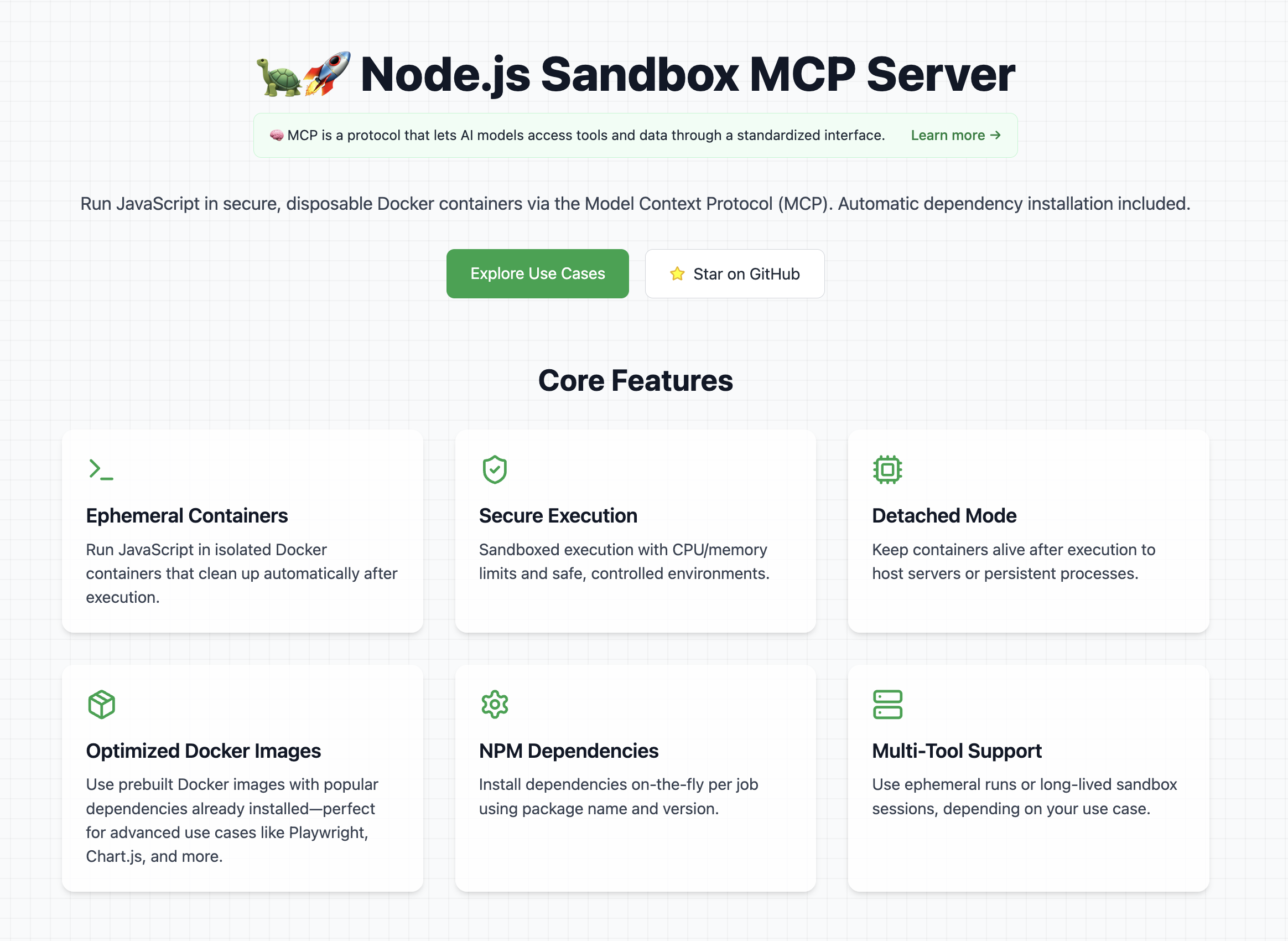
👉 Look at the official website
Note: Containers run with controlled CPU/memory limits.
If you want ideas for cool and powerful ways to use this library, check out the use cases section on the website It contains a curated list of prompts, examples, and creative experiments you can try with the Node.js Sandbox MCP Server.
To use this MCP server, Docker must be installed and running on your machine.
Tip: Pre-pull any Docker images you'll need to avoid delays during first execution.
Example recommended images:
In order to get started with this MCP server, first of all you need to connect it to a client (for example Claude Desktop).
Once it's running, you can test that it's fully working with a couple of test prompts:
Validate that the tool can run:
Create and run a JS script with a console.log("Hello World")
This should run a console.log and in the tool response you should be able to see Hello World.
Validate that you can install dependencies and save files
Create and run a JS script that generates a QR code for the URL `https://nodejs.org/en`, and save it as `qrcode.png` **Tip:** Use the `qrcode` package.
This should create a file in your mounted directory (for example the Desktop) called "qrcode.png"
Add this to your claude_desktop_config.json:
You can follow the Official Guide to install this MCP server
{
  "mcpServers": {
    "js-sandbox": {
      "command": "docker",
      "args": [
        "run",
        "-i",
        "--rm",
        "-v",
        "/var/run/docker.sock:/var/run/docker.sock",
        "-v",
        "$HOME/Desktop/sandbox-output:/root",
        "-e",
        "FILES_DIR=$HOME/Desktop/sandbox-output",
        "-e",
        "SANDBOX_MEMORY_LIMIT=512m", // optional
        "-e",
        "SANDBOX_CPU_LIMIT=0.75", // optional
        "alfonsograziano/node-code-sandbox-mcp"
      ]
    }
  }
}
or with NPX:
{
  "mcpServers": {
    "node-code-sandbox-mcp": {
      "type": "stdio",
      "command": "npx",
      "args": ["-y", "node-code-sandbox-mcp"],
      "env": {
        "FILES_DIR": "/Users/alfonsograziano/Desktop/node-sandbox",
        "SANDBOX_MEMORY_LIMIT": "512m", // optional
        "SANDBOX_CPU_LIMIT": "0.75" // optional
      }
    }
  }
}
Note: Ensure your working directory points to the built server, and Docker is installed/running.
Run the server in a container (mount Docker socket if needed), and pass through your desired host output directory as an env var:
# Build locally if necessary
# docker build -t alfonsograziano/node-code-sandbox-mcp .

docker run --rm -it \
  -v /var/run/docker.sock:/var/run/docker.sock \
  -v "$HOME/Desktop/sandbox-output":"/root" \
  -e FILES_DIR="$HOME/Desktop/sandbox-output" \
  -e SANDBOX_MEMORY_LIMIT="512m" \
  -e SANDBOX_CPU_LIMIT="0.5" \
  alfonsograziano/node-code-sandbox-mcp stdio
This bind-mounts your host folder into the container at the same absolute path and makes FILES_DIR available inside the MCP server.
Quick install buttons (VS Code & Insiders):
Install js-sandbox-mcp (NPX) Install js-sandbox-mcp (Docker)
Manual configuration: Add to your VS Code settings.json or .vscode/mcp.json:
"mcp": {
    "servers": {
        "js-sandbox": {
            "command": "docker",
            "args": [
                "run",
                "-i",
                "--rm",
                "-v", "/var/run/docker.sock:/var/run/docker.sock",
                "-v", "$HOME/Desktop/sandbox-output:/root",
                "-e", "FILES_DIR=$HOME/Desktop/sandbox-output",
                "-e", "SANDBOX_MEMORY_LIMIT=512m",
                "-e", "SANDBOX_CPU_LIMIT=1",
                "alfonsograziano/node-code-sandbox-mcp"
              ]
        }
    }
}
Run a one-off JS script in a brand-new disposable container.
Inputs:
image (string, optional): Docker image to use (default: node:lts-slim).code (string, required): JavaScript source to execute.dependencies (array of { name, version }, optional): NPM packages and versions to install (default: []).Behavior:
index.js and a minimal package.json.image content..txt, .json) are returned as resource content.Tip: To get files back, simply save them during your script execution.
Example Call:
{
  "name": "run_js_ephemeral",
  "arguments": {
    "image": "node:lts-slim",
    "code": "console.log('One-shot run!');",
    "dependencies": [{ "name": "lodash", "version": "^4.17.21" }],
  },
}
Example to save a file:
import fs from 'fs/promises';

await fs.writeFile('hello.txt', 'Hello world!');
console.log('Saved hello.txt');
This will return the console output and the hello.txt file.
Start a fresh sandbox container.
image (string, optional, default: node:lts-slim): Docker image for the sandboxport (number, optional): If set, maps this container port to the hostRun shell commands inside the running sandbox.
container_id (string): ID from sandbox_initializecommands (string[]): Array of shell commands to executeInstall npm dependencies and execute JavaScript code.
Input:
container_id (string): ID from sandbox_initializecode (string): JS source to run (ES modules supported)dependencies (array of { name, version }, optional, default: []): npm package names → semver versionslistenOnPort (number, optional): If set, leaves the process running and exposes this port to the host (Detached Mode)Behavior:
index.js and a minimal package.jsonnpm install --omit=dev --ignore-scripts --no-audit --loglevel=errornode index.js and captures stdout, or leaves process running in background if listenOnPort is setOutput: Script stdout or background execution notice
Terminate and remove the sandbox container.
container_id (string): ID from sandbox_initializesandbox_initialize ➔ run_js ➔ sandbox_stop) are ideal when you want to:
run_js_ephemeral is perfect for:
Choose the workflow that best fits your use-case!
Compile and bundle:
npm install
npm run build
MIT License
Permission is hereby granted, free of charge, to any person obtaining a copy of this software and associated documentation files (the "Software"), to deal in the Software without restriction, including without limitation the rights to use, copy, modify, merge, publish, distribute, sublicense, and/or sell copies of the Software, and to permit persons to whom the Software is furnished to do so, subject to the following conditions:
The above copyright notice and this permission notice shall be included in all copies or substantial portions of the Software.
THE SOFTWARE IS PROVIDED "AS IS", WITHOUT WARRANTY OF ANY KIND, EXPRESS OR IMPLIED, INCLUDING BUT NOT LIMITED TO THE WARRANTIES OF MERCHANTABILITY, FITNESS FOR A PARTICULAR PURPOSE AND NONINFRINGEMENT. IN NO EVENT SHALL THE AUTHORS OR COPYRIGHT HOLDERS BE LIABLE FOR ANY CLAIM, DAMAGES OR OTHER LIABILITY, WHETHER IN AN ACTION OF CONTRACT, TORT OR OTHERWISE, ARISING FROM, OUT OF OR IN CONNECTION WITH THE SOFTWARE OR THE USE OR OTHER DEALINGS IN THE SOFTWARE.
Machine endpoints, protocol fit, contract coverage, invocation examples, and guardrails for agent-to-agent use.
Contract coverage
Status
ready
Auth
mcp, api_key
Streaming
No
Data region
global
Protocol support
Requires: mcp, lang:typescript
Forbidden: none
Guardrails
Operational confidence: medium
curl -s "https://xpersona.co/api/v1/agents/mcp-ssdeanx-node-code-sandbox-mcp/snapshot"
curl -s "https://xpersona.co/api/v1/agents/mcp-ssdeanx-node-code-sandbox-mcp/contract"
curl -s "https://xpersona.co/api/v1/agents/mcp-ssdeanx-node-code-sandbox-mcp/trust"
Trust and runtime signals, benchmark suites, failure patterns, and practical risk constraints.
Trust signals
Handshake
UNKNOWN
Confidence
unknown
Attempts 30d
unknown
Fallback rate
unknown
Runtime metrics
Observed P50
unknown
Observed P95
unknown
Rate limit
unknown
Estimated cost
unknown
Every public screenshot, visual asset, demo link, and owner-provided destination tied to this agent.
Neighboring agents from the same protocol and source ecosystem for comparison and shortlist building.
Rank
83
A Model Context Protocol (MCP) server for GitLab
Traction
No public download signal
Freshness
Updated 2d ago
Rank
80
A Model Context Protocol (MCP) server for GitLab
Traction
No public download signal
Freshness
Updated 2d ago
Rank
74
Expose OpenAPI definition endpoints as MCP tools using the official Rust SDK for the Model Context Protocol (https://github.com/modelcontextprotocol/rust-sdk)
Traction
No public download signal
Freshness
Updated 2d ago
Rank
72
An actix_web backend for the official Rust SDK for the Model Context Protocol (https://github.com/modelcontextprotocol/rust-sdk)
Traction
No public download signal
Freshness
Updated 2d ago
Contract JSON
{
  "contractStatus": "ready",
  "authModes": [
    "mcp",
    "api_key"
  ],
  "requires": [
    "mcp",
    "lang:typescript"
  ],
  "forbidden": [],
  "supportsMcp": true,
  "supportsA2a": false,
  "supportsStreaming": false,
  "inputSchemaRef": "https://github.com/ssdeanx/node-code-sandbox-mcp#input",
  "outputSchemaRef": "https://github.com/ssdeanx/node-code-sandbox-mcp#output",
  "dataRegion": "global",
  "contractUpdatedAt": "2026-02-24T19:46:33.730Z",
  "sourceUpdatedAt": "2026-02-24T19:46:33.730Z",
  "freshnessSeconds": 4432805
}
Invocation Guide
{
  "preferredApi": {
    "snapshotUrl": "https://xpersona.co/api/v1/agents/mcp-ssdeanx-node-code-sandbox-mcp/snapshot",
    "contractUrl": "https://xpersona.co/api/v1/agents/mcp-ssdeanx-node-code-sandbox-mcp/contract",
    "trustUrl": "https://xpersona.co/api/v1/agents/mcp-ssdeanx-node-code-sandbox-mcp/trust"
  },
  "curlExamples": [
    "curl -s \"https://xpersona.co/api/v1/agents/mcp-ssdeanx-node-code-sandbox-mcp/snapshot\"",
    "curl -s \"https://xpersona.co/api/v1/agents/mcp-ssdeanx-node-code-sandbox-mcp/contract\"",
    "curl -s \"https://xpersona.co/api/v1/agents/mcp-ssdeanx-node-code-sandbox-mcp/trust\""
  ],
  "jsonRequestTemplate": {
    "query": "summarize this repo",
    "constraints": {
      "maxLatencyMs": 2000,
      "protocolPreference": [
        "MCP"
      ]
    }
  },
  "jsonResponseTemplate": {
    "ok": true,
    "result": {
      "summary": "...",
      "confidence": 0.9
    },
    "meta": {
      "source": "GITHUB_MCP",
      "generatedAt": "2026-04-17T03:06:39.197Z"
    }
  },
  "retryPolicy": {
    "maxAttempts": 3,
    "backoffMs": [
      500,
      1500,
      3500
    ],
    "retryableConditions": [
      "HTTP_429",
      "HTTP_503",
      "NETWORK_TIMEOUT"
    ]
  }
}
Trust JSON
{
  "status": "unavailable",
  "handshakeStatus": "UNKNOWN",
  "verificationFreshnessHours": null,
  "reputationScore": null,
  "p95LatencyMs": null,
  "successRate30d": null,
  "fallbackRate": null,
  "attempts30d": null,
  "trustUpdatedAt": null,
  "trustConfidence": "unknown",
  "sourceUpdatedAt": null,
  "freshnessSeconds": null
}
Capability Matrix
{
  "rows": [
    {
      "key": "MCP",
      "type": "protocol",
      "support": "supported",
      "confidenceSource": "contract",
      "notes": "Confirmed by capability contract"
    },
    {
      "key": "cli",
      "type": "capability",
      "support": "supported",
      "confidenceSource": "profile",
      "notes": "Declared in agent profile metadata"
    }
  ],
  "flattenedTokens": "protocol:MCP|supported|contract capability:cli|supported|profile"
}
Facts JSON
[
  {
    "factKey": "docs_crawl",
    "category": "integration",
    "label": "Crawlable docs",
    "value": "6 indexed pages on the official domain",
    "href": "https://github.com/login?return_to=https%3A%2F%2Fgithub.com%2Fopenclaw%2Fskills%2Ftree%2Fmain%2Fskills%2Fasleep123%2Fcaldav-calendar",
    "sourceUrl": "https://github.com/login?return_to=https%3A%2F%2Fgithub.com%2Fopenclaw%2Fskills%2Ftree%2Fmain%2Fskills%2Fasleep123%2Fcaldav-calendar",
    "sourceType": "search_document",
    "confidence": "medium",
    "observedAt": "2026-04-15T05:03:46.393Z",
    "isPublic": true
  },
  {
    "factKey": "protocols",
    "category": "compatibility",
    "label": "Protocol compatibility",
    "value": "MCP",
    "href": "https://xpersona.co/api/v1/agents/mcp-ssdeanx-node-code-sandbox-mcp/contract",
    "sourceUrl": "https://xpersona.co/api/v1/agents/mcp-ssdeanx-node-code-sandbox-mcp/contract",
    "sourceType": "contract",
    "confidence": "high",
    "observedAt": "2026-02-24T19:46:33.730Z",
    "isPublic": true
  },
  {
    "factKey": "auth_modes",
    "category": "compatibility",
    "label": "Auth modes",
    "value": "mcp, api_key",
    "href": "https://xpersona.co/api/v1/agents/mcp-ssdeanx-node-code-sandbox-mcp/contract",
    "sourceUrl": "https://xpersona.co/api/v1/agents/mcp-ssdeanx-node-code-sandbox-mcp/contract",
    "sourceType": "contract",
    "confidence": "high",
    "observedAt": "2026-02-24T19:46:33.730Z",
    "isPublic": true
  },
  {
    "factKey": "schema_refs",
    "category": "artifact",
    "label": "Machine-readable schemas",
    "value": "OpenAPI or schema references published",
    "href": "https://github.com/ssdeanx/node-code-sandbox-mcp#input",
    "sourceUrl": "https://xpersona.co/api/v1/agents/mcp-ssdeanx-node-code-sandbox-mcp/contract",
    "sourceType": "contract",
    "confidence": "high",
    "observedAt": "2026-02-24T19:46:33.730Z",
    "isPublic": true
  },
  {
    "factKey": "vendor",
    "category": "vendor",
    "label": "Vendor",
    "value": "Ssdeanx",
    "href": "https://github.com/ssdeanx/node-code-sandbox-mcp",
    "sourceUrl": "https://github.com/ssdeanx/node-code-sandbox-mcp",
    "sourceType": "profile",
    "confidence": "medium",
    "observedAt": "2026-02-24T19:43:14.176Z",
    "isPublic": true
  },
  {
    "factKey": "traction",
    "category": "adoption",
    "label": "Adoption signal",
    "value": "3 GitHub stars",
    "href": "https://github.com/ssdeanx/node-code-sandbox-mcp",
    "sourceUrl": "https://github.com/ssdeanx/node-code-sandbox-mcp",
    "sourceType": "profile",
    "confidence": "medium",
    "observedAt": "2026-02-24T19:43:14.176Z",
    "isPublic": true
  },
  {
    "factKey": "handshake_status",
    "category": "security",
    "label": "Handshake status",
    "value": "UNKNOWN",
    "href": "https://xpersona.co/api/v1/agents/mcp-ssdeanx-node-code-sandbox-mcp/trust",
    "sourceUrl": "https://xpersona.co/api/v1/agents/mcp-ssdeanx-node-code-sandbox-mcp/trust",
    "sourceType": "trust",
    "confidence": "medium",
    "observedAt": null,
    "isPublic": true
  }
]
Change Events JSON
[
  {
    "eventType": "docs_update",
    "title": "Docs refreshed: Sign in to GitHub · GitHub",
    "description": "Fresh crawlable documentation was indexed for the official domain.",
    "href": "https://github.com/login?return_to=https%3A%2F%2Fgithub.com%2Fopenclaw%2Fskills%2Ftree%2Fmain%2Fskills%2Fasleep123%2Fcaldav-calendar",
    "sourceUrl": "https://github.com/login?return_to=https%3A%2F%2Fgithub.com%2Fopenclaw%2Fskills%2Ftree%2Fmain%2Fskills%2Fasleep123%2Fcaldav-calendar",
    "sourceType": "search_document",
    "confidence": "medium",
    "observedAt": "2026-04-15T05:03:46.393Z",
    "isPublic": true
  }
]
Sponsored
Ads related to node-code-sandbox-mcp and adjacent AI workflows.